

Agency media planner
Turn a budget, funnel intent and creative mix into a cross-channel plan, with the CPM, impressions and clicks behind every line across paid social, programmatic, video and analytics.
Google Premier Partner · £160M+ ad spend managed · 7+ industry awards
Planner inputs
Set budget, funnel priorities, creative split and channels to generate a directional media plan.
Funnel mix
✓ 100%Creative split
✓ 100%Channels
11 selectedPlan results
Channel-level outputs to guide media planning and creative production.
Need this tailored?
Book a free senior review with the Clean Digital team.
How to plan a cross-channel media budget
A media plan answers one question: where should the next pound of budget go to move a real commercial number? Get there in four steps: separate the jobs your spend has to do, set the funnel split, match channels to those jobs, then align the creative. The planner above turns those decisions into channel-level impressions and clicks so you can sense-check the balance before you commit.
1 · Separate demand creation from demand capture
These channels (paid social, video, programmatic, audio and out-of-home) create demand in people who are not yet searching. They feed the high-intent demand that paid search management then captures. Plan the two together: a creation budget with no capture layer wastes the interest it builds, and a capture-only account eventually runs out of demand to harvest.
2 · Set the funnel split before the channels
Decide how much goes to awareness, engagement and direct response first; it is the single biggest driver of the plan. Long, considered B2B purchases justify more awareness and engagement; high-frequency ecommerce can weight direct response. The split should reflect your sales cycle, not a habit.
3 · Match channels to the job, not the other way round
Each channel does a specific job in the funnel, covered in the playbook below. Resist spreading a small budget across everything; concentrate where you can resource creative and measurement properly, and add channels as the core proves out.
4 · Align the creative split to the media plan
Upper-funnel reach needs video; lower-funnel and feed placements lean on image and static. Setting the image-vs-video split alongside the channel mix keeps production scope and media delivery in step, and none of it pays back without conversion tracking that ties the spend to revenue, leads or bookings.
The channels in the model, and what each is for
The planner spreads budget across demand-creation and reach channels. Here is the job each one does, and where to go deeper.
Paid social
Meta, TikTok, LinkedIn, Reddit
The demand-creation engine. Precise audience targeting and a standing creative-testing loop make this where most plans build interest and find what resonates.
paid social managementOnline video
YouTube, Connected TV
Upper-funnel reach and storytelling where attention is high. Carries the brand message that makes the response channels work harder.
programmatic advertisingGoogle Demand Gen
Demand Gen / Discovery
Visual, intent-adjacent reach across Google’s feeds: a bridge between social-style creative and Google’s audience signals.
Google Ads managementProgrammatic display & native
Open-web display, Outbrain/Taboola
Scaled reach, retargeting and inventory control. Keeps budget out of junk placements and connects reach to assisted demand.
programmatic media planningAudio & out-of-home
Streaming audio, DOOH
Broadcast-style reach for brand-building. Judged on reach and frequency rather than clicks. The lift they give converting channels is the point.
programmatic & DOOHThese create and carry demand; paid search captures it, and analytics and tracking makes the whole plan measurable.
Worked example: a £10k/month B2B demand plan
Take a B2B software brand with a long sales cycle and £10,000 a month to invest in demand. The cycle is considered, so the plan leans into the top of the funnel: roughly 35% awareness, 30% engagement, 35% direct response, the B2B default the planner starts from.
On that split, the model weights budget toward LinkedIn and Google Demand Gen for targeted reach, adds YouTube for storytelling, and holds a direct-response slice on Meta and retargeting. The output shows the CPM, impressions and clicks each channel should return, plus a blended view, enough to brief creative to a 60/40 image-to-video split and size the paid search capture layer that catches the demand it creates.
The point is not a single right answer. It is a defensible starting plan you can pressure-test. Change the budget, audience or split above and the channel economics move with it, so you can compare scenarios before a pound is spent. When the plan is close, the next step is seeing how it performs in real accounts.
How the planner works
The planner combines channel-level CPM and CTR benchmark assumptions with your funnel priorities, audience type and creative mix. It is built for fast planning alignment, not final performance forecasting.
The core maths is deliberately transparent: impressions = spend ÷ (CPM ÷ 1000), clicks = impressions × (CTR ÷ 100), and CPC = spend ÷ clicks where clicks are a meaningful KPI for the channel.
Geography is applied as a CPM multiplier on global benchmark rows, and you can override any channel’s CPM and CTR with your own account or rate-card data. Every benchmark row carries its own source so the table is inspectable, not a black box.
Media plans we actually run
The planner is a starting point. Here is what cross-channel paid media returns when it is built, measured and optimised in real accounts.


Media planning glossary
- CPM
- Cost per thousand impressions, the price of buying 1,000 ad views on a channel. The core unit of reach-based media.
- CPC
- Cost per click: spend divided by clicks. Useful where a click is a meaningful step toward the outcome.
- CTR
- Click-through rate: clicks divided by impressions, expressed as a percentage. A proxy for how relevant the ad and audience are.
- Impressions
- The number of times an ad is served. The currency of reach and frequency planning.
- Reach & frequency
- Reach is how many distinct people see the ads; frequency is how often. Reach builds awareness; frequency builds memory, though too much of it wastes budget.
- Demand creation
- Channels that build interest in people not yet searching: paid social, video, programmatic, audio and out-of-home.
- Demand capture
- Channels that catch existing intent, primarily paid search. Demand creation feeds demand capture.
- Funnel stages
- Awareness (reach new audiences), engagement (build consideration), and direct response (drive an action). The planner weights channels by your split across these.
- Blended CPM / CPC
- The average cost across every line of the plan, weighted by spend. These are the headline numbers for the whole media plan rather than a single channel.
- Creative split
- The share of budget and production weighted to image vs video. It drives both media delivery and how much you need to produce.
Media planner FAQs
Budget & mix
How should I split a media budget across the funnel?
There is no single right answer, but a common B2B starting point is roughly 35% awareness, 30% engagement and 35% direct response; B2C leans further toward awareness, and ecommerce toward direct response. The planner uses your split to weight channels, then shows the impressions and clicks that fall out of it so you can sense-check the balance before committing budget.
What is a sensible starting budget for a cross-channel plan?
Enough to give two or three channels a fair test rather than spreading a small budget too thin. As a rough guide, below about £3,000–£5,000 a month it is usually better to concentrate on one or two channels than to run a full cross-channel plan. The tool will still model any budget, but thin spend per channel rarely produces a reliable signal.
How do I decide the image vs video split?
Match it to production scope and where the channels sit in the funnel. Upper-funnel video (YouTube, CTV, social video) needs more video; lower-funnel and feed placements lean on image and static. The planner applies your split to the channels that support both formats so production and media stay aligned.
Does this replace a full media plan?
No. It is a fast, directional baseline to align budget, funnel priorities and creative deliverables before detailed activation planning. Treat the output as a first draft, then pressure-test the assumptions with channel specialists before launch.
Where does paid search fit in this plan?
The planner covers demand-creation and reach channels: paid social, video, programmatic, audio and out-of-home. Most accounts pair these with paid search to capture the high-intent demand they generate. Plan search budget alongside this using our paid search management, and keep both measurable with proper conversion tracking.
Channels
Why do CPM and CTR differ so much by channel?
Each channel has different auction dynamics, inventory quality, format behaviour and audience competition. A LinkedIn impression in a B2B auction costs far more than a programmatic display impression, and a skippable video behaves nothing like a static feed ad. The planner applies channel-level benchmark assumptions so the economics are realistic rather than averaged.
How should I think about non-click channels like DOOH or CTV?
Treat them as reach and brand-building, not click drivers. The model prioritises impression economics for these channels and keeps click estimates low or omitted where clicks are not the point. Judge them on reach, frequency and the lift they give the channels that do convert.
Which channels suit B2B vs ecommerce?
B2B usually leans on LinkedIn, Google Demand Gen and selective video for considered purchases with long cycles; ecommerce leans on Meta, video and programmatic for volume and retargeting. The audience type you choose shifts the default funnel weighting, but you should still tailor the channel selection to your category.
Can I add or remove channels from the plan?
Yes. Toggle any channel in or out before generating, and the budget redistributes across what remains. Start with the channels you can realistically resource with creative and measurement, then expand once the core is working.
Can I use my own CPM and CTR assumptions?
Yes. Enable custom benchmarks and set your own channel-level CPM and CTR. This is useful when you have real account history or rate-card data that beats a generic benchmark. The rest of the model then runs on your numbers.
Are these values specific to my account?
No. They are benchmark-led planning values, not account-specific forecasts. They are designed to get a cross-channel plan to a sensible starting point; your live CPMs and CTRs will move with creative, targeting and competition.
Using the planner
What exactly does the planner estimate?
Budget split by channel, plus CPM, impressions, CTR, clicks and CPC for each line, and a blended summary across the plan. It turns a single budget and a funnel intent into a channel-level media plan you can act on.
How accurate is the output?
It is directional. The figures reflect benchmark assumptions weighted by your inputs, not a guarantee of delivery. Use them to compare scenarios and align stakeholders, then validate against real platform forecasts and account data before you spend.
Can I share or export the plan?
Yes. Copy a summary, export the full media-plan table to CSV for a creative brief or budget handover, or share a link to the live scenario so colleagues and clients can review the same numbers.
Is the planner free?
Yes, it is free to use with no login. If you want the plan pressure-tested or built into a live account, that is what a free senior review is for.
What should I do after generating a plan?
Treat it as a first draft: confirm the channel selection against your audience, brief creative to the image/video split, and validate the benchmark assumptions with the platforms or a specialist. Then plan the paid search capture layer and the conversion tracking that will measure it all.
Working with an agency
Is this a good tool for agencies to use to plan client budgets?
Yes. Agencies use it early to align budget, funnel priorities and creative deliverables before production starts. It gives a fast, defensible baseline to anchor the kick-off conversation, then you refine with channel detail.
Can Clean Digital build and run this plan?
Yes. We run paid social, programmatic, video and paid search as one accountable media plan, with conversion tracking that ties spend to revenue, leads or bookings. Start with a free senior review of your current activity and where the budget is leaking.
Do you work in my sector or country?
We run paid media for clients across the UK, EMEA and North America in higher education, retail and ecommerce, travel and B2B. The planner supports those geographies via a CPM adjustment, and a review will tell you quickly whether a cross-channel plan is the right move for your category.
More free PPC tools & calculators
Size the budget, test creative and plan placements with the rest of the toolkit, or browse the full PPC resources hub.

Budget modelling
PPC Budget Calculator
Enter an industry, country, objective and monthly budget to forecast impressions, clicks, leads or sales across Google, Meta and LinkedIn.
Use the calculator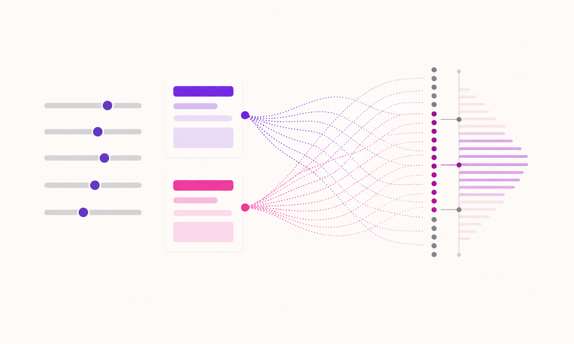
Test verdicts
Ad Test Significance Calculator
Paste impressions and conversions from any ad platform and get a plain-English verdict: call it, keep running, or stop. Plan mode sizes the next test from budget and CPM, and both show your test rerun 1,000 times.
Judge your test
Forecast response
Weather-Based Bidding Tool
If demand in your category rises and falls with the weather, your bids can too. See suggested bid and budget changes against the coming forecast for selected verticals.
Check weather adjustments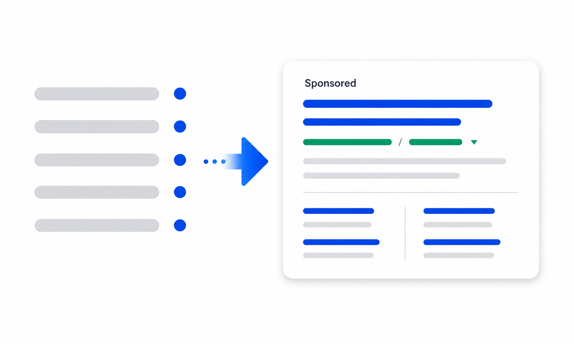
Search ad QA
Google Ads Preview Tool
Build and compare responsive search ads with headlines, descriptions, display paths, logos and sitelinks in a Google-style result.
Preview your ads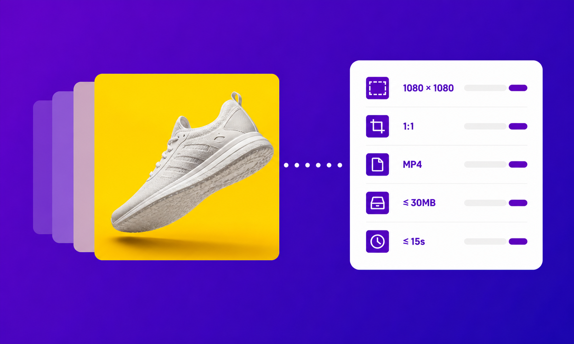
Creative specs
Ad Specs Library & Build Sheet
Ad specs for Google, Meta, LinkedIn, TikTok and more. Tick the placements a campaign runs and get the fewest master assets to brief, each with the strictest limit it has to meet.
Build the sheet
Placement exclusions
GDN Placement Exclusions
Paste a Google Display Network placement report to flag the mobile app, anonymous and made-for-advertising inventory draining your budget, then export a Google Ads exclusion list. Includes a sourced starter kit of the Display exclusions to set first.
Cut wasted placementsFrom media plan to performance
Once the plan looks right, the work is making it return. Start with a free senior review of your current paid media (where the budget is leaking, what is worth scaling and what to cut) from a Google Premier Partner managing £160M+ in ad spend.