
Clean Digital
    Clean Digital
    SERVICES
    TECHNOLOGY
    RESOURCES
    ABOUT
    CONTACT US
    1Rebel UK logo

    Michelle, 1Rebel UK

    "Really recommend Clean Digital, they've been a fantastic agency to work with and we've always been really impressed with the team and the results they produce."

    Free PPC tools,
    calculators &
    paid media guides

    The calculators, tools and guides our paid media team uses on client accounts, free, with no login or email gate. Forecast PPC budgets, check ad test significance, look up creative specs and plan Google Ads, paid social and programmatic campaigns.

    PPC calculators
    4
    PPC calculators
    working ad tools
    4
    working ad tools
    practical guides
    6
    practical guides
    no login, no email gate
    Free
    no login, no email gate

    01/PPC Budget Calculators & Forecasting Tools

    Four calculators for the money questions that come up on every account: what a budget should return, how to split it across channels, how big a test needs to be, and how much the weather moves demand in your category.

    Paid Media Spend and Results Calculator forecasting impressions, clicks and leads from a monthly PPC budget

    Paid Media Spend and Results Calculator

    Calculator · Budget modelling · Updated Feb 2026

    Enter a monthly budget and get an estimate of the impressions, clicks and leads or sales it should produce, split across channels and benchmarked by industry and country.

    • Budget to expected outcomes in under a minute
    • Industry and geography benchmarks behind every estimate
    Open the calculator
    Agency Media Planner splitting a paid media budget across Google Ads, paid social and programmatic channels

    Agency Media Planner

    Calculator · Channel planning · Updated Feb 2026

    Set a budget, a funnel split and a creative mix, and get a cross-channel plan in one view: CPMs, impressions and clicks for Google Ads, paid social and programmatic.

    • A channel plan built from budget and funnel mix
    • Creative split, CPM, impressions and clicks per channel
    Open the planner
    Ad Test Significance Calculator showing required sample size and expected test duration for an ad experiment

    Ad Test Significance Calculator

    Calculator · Test planning · Updated Mar 2026

    Work out how big an A/B test needs to be and how long it will take, from your baseline rate, the lift you want to detect and the confidence level. It stops you calling a test early or letting it run for months.

    • Sample size and finish date up front
    • Monte Carlo timing explorer for deeper analysis
    Plan your test
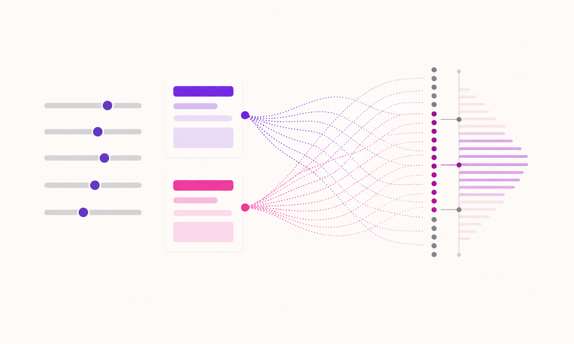
    Weather Bidding Assistant mapping a seven-day weather forecast to Google Ads bid and budget adjustments

    Weather Bidding Assistant

    Calculator · Forecast response · Updated Mar 2026

    If demand in your category rises and falls with the weather, your bids can too. See suggested bid and budget changes against the coming forecast for selected verticals.

    • Day-by-day forecast explorer for your region
    • Weather-led bid and budget adjustment suggestions
    Open the assistant

    If the forecast says the account can’t hit the target the way it is set up now, a free Google Ads account audit shows where the budget is going.

    02/Ad Preview & Creative Spec Tools

    Launches fall over on small things: a headline that truncates, an asset a few pixels off spec, a file the placement will not accept. These two tools help you catch those early.

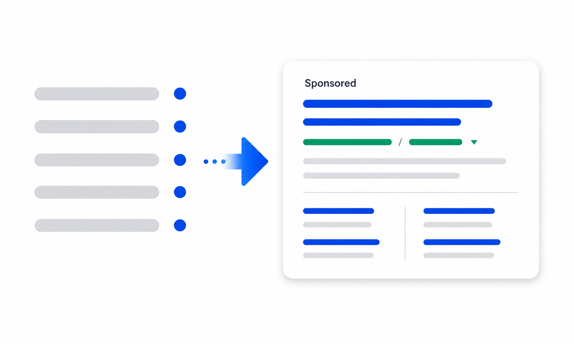
    Google Ads Preview Tool rendering a responsive search ad in a Google-style results page

    Google Ads Preview Tool

    Tool · Search ad QA · Updated Aug 2024

    See your search ads laid out the way they appear on Google: headlines, descriptions and sitelinks in a real results layout. Weak or truncated copy is obvious at a glance.

    • Live SERP preview while you edit copy
    • Spot truncated or weak headlines as you write
    Preview your ads
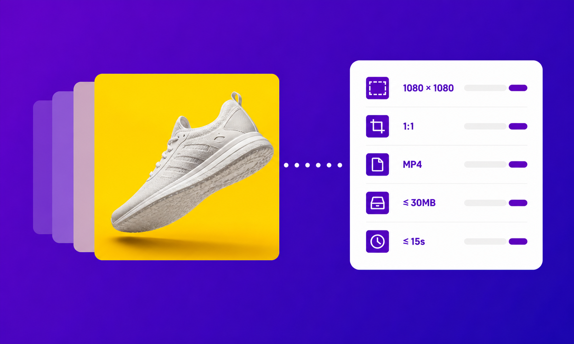
    Platform Ad Spec Library filtering ad creative specs by platform, placement and media type

    Platform Ad Spec Library

    Tool · Creative specs · Updated Mar 2026

    Every dimension, ratio, file rule and QA note for Google, Meta, LinkedIn, TikTok and more, filtered by platform, placement and media type. No more digging through each platform’s help docs.

    • Filter by platform, placement and media type
    • Dimensions, file rules and QA detail in one place
    Check the specs

    If the creative is on-spec but still not converting, see how our paid social team builds and tests ad creative that keeps working past the first week.

    03/Audience & Placement Research Tools

    Display budgets leak into junk placements and the wrong audiences, and the platform interface rarely makes it obvious. These two tools show where your budget is going and who your ads reach.

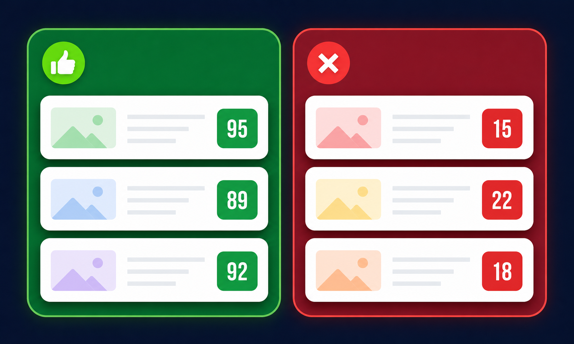
    GDN placement exclusions tool triaging a Google Display Network placement report into keep and exclude

    GDN Placement Exclusions

    Tool · Placement exclusions · Updated Jun 2026

    Paste a Google Display Network placement report to flag the mobile app, anonymous and made-for-advertising inventory draining your budget, then export a Google Ads exclusion list. Includes a sourced starter kit of the Display exclusions to set first.

    • Flag app, anonymous and made-for-advertising inventory
    • Export a Google Ads placement exclusion list
    Cut wasted placements
    Business to Audience Matcher generating audience themes and platform recommendations from a business brief

    Business to Audience Matcher

    Tool · Targeting research · Updated Mar 2026

    Describe the business and get back structured audience themes, with a read on which platforms suit each one, a solid first pass for a new market, brief or product line.

    • Audience themes generated from a business brief
    • A read on which platforms fit each theme
    Map your audiences

    Running this at scale across programmatic is a bigger job. See how we run programmatic campaigns built to stay out of junk inventory.

    Find the tool for the job

    Each of these tools came out of real client work. Find the situation that sounds like yours and go straight to the one that helps.

    Finance wants next quarter’s paid media budget, with the numbers behind it.

    Forecast the budget

    An ad test has been “almost significant” for three weeks.

    Work out the sample size

    Creative keeps bouncing back from platform review.

    Check the spec first

    Display spend is up and no one can say where the ads actually ran.

    Cut wasted placements

    A new market launch needs an audience plan by Monday.

    Draft the audiences

    A tool can show you the problem: leaking spend, an undersized test, placements full of junk. Fixing it often takes someone working in the account. A free ad account audit gets our senior team on it, and the case studies show what that has changed for other clients.

    04/PPC Guides & Paid Media Analysis

    Longer reads on measurement, Shopping, AI search and choosing an agency: the questions clients actually ask us.

    New measurement, Google Ads and ecommerce guides land on the Clean Digital blog first, and we work through the live versions in our PPC webinars.

    Questions about these PPC tools

    What free PPC tools are in this library?

    Four calculators for budget forecasting, media planning, ad test significance and weather-led bidding; four working tools covering Google Ads previews, creative specs, GDN placements and audience research; and six guides on measurement, shopping, AI surfaces and agency selection. Everything is built and maintained by the Clean Digital paid media team.

    Are the PPC calculators really free?

    Yes. Every calculator, tool and guide here is free to use with no login and no email gate. They exist because we wanted them for our own client work; publishing them costs us nothing extra.

    How accurate are the budget and forecast calculators?

    They are directional by design, built on industry and country benchmarks rather than your own account history. That makes them good for setting a rough budget, sense-checking a target or putting a first number on the table, then you refine it with a forecast built on your own data.

    Should I start with a calculator or a guide?

    Use a calculator or tool when you already know the job: planning a test, modelling a budget, checking a spec. Reach for a guide when the question is still forming: how to measure offline conversions, whether CSS is worth it, or how to compare Google Ads agencies.

    Can these tools replace PPC agency management?

    They take some of the guesswork out of the decisions around an account (budgets, tests, specs, targeting) but they don’t restructure campaigns, fix tracking or handle the week-to-week work. When one of them points to a problem you can’t fix from a spreadsheet, that’s often the point to book a free ad account audit.

    Found something that needs fixing?

    Get in touch and our paid media team will audit your ad account for free, then send you a short, ordered list of what’s wasting money, what isn’t tracked properly, and what’s worth testing.